> ## Documentation Index
> Fetch the complete documentation index at: https://docs.agentfront.dev/llms.txt
> Use this file to discover all available pages before exploring further.
# Quick Start
> Get CodeCall running in 5 minutes - from install to first execution.
 This guide assumes you have a FrontMCP project set up. If you're new to FrontMCP, start with the [installation guide](/frontmcp/getting-started/installation) first.
## From Zero to CodeCall in 5 Steps
CodeCall ships as part of `@frontmcp/plugins`. Add it to your project:
```bash npm theme={"theme":{"light":"snazzy-light","dark":"dark-plus"}}
npm install @frontmcp/plugins
```
```bash pnpm theme={"theme":{"light":"snazzy-light","dark":"dark-plus"}}
pnpm add @frontmcp/plugins
```
```bash yarn theme={"theme":{"light":"snazzy-light","dark":"dark-plus"}}
yarn add @frontmcp/plugins
```
This includes `CodeCallPlugin` along with all official FrontMCP plugins.
Mark each tool with the `codecall` metadata object. Setting `enabledInCodeCall: true` makes the tool
available inside CodeCall scripts, while `visibleInListTools: false` hides it from the standard
`tools/list` response so the LLM only sees the 4 meta-tools.
```ts title="src/tools/users.ts" theme={"theme":{"light":"snazzy-light","dark":"dark-plus"}}
import { Tool, ToolContext } from '@frontmcp/sdk';
@Tool({
name: 'users:list',
description: 'List users with optional filtering by status and role',
codecall: {
enabledInCodeCall: true,
visibleInListTools: false,
},
})
export class ListUsersTool extends ToolContext {
async execute(input: { status?: string; limit?: number }) {
return {
users: [
{ id: '1', name: 'Alice', email: 'alice@example.com', status: 'active', role: 'admin' },
{ id: '2', name: 'Bob', email: 'bob@example.com', status: 'active', role: 'user' },
{ id: '3', name: 'Charlie', email: 'charlie@example.com', status: 'inactive', role: 'user' },
],
};
}
}
@Tool({
name: 'users:get',
description: 'Get a single user by ID',
codecall: {
enabledInCodeCall: true,
visibleInListTools: false,
},
})
export class GetUserTool extends ToolContext {
async execute(input: { id: string }) {
const users = {
'1': { id: '1', name: 'Alice', email: 'alice@example.com', status: 'active', role: 'admin' },
'2': { id: '2', name: 'Bob', email: 'bob@example.com', status: 'active', role: 'user' },
};
return users[input.id] ?? { error: 'User not found' };
}
}
```
The `codecall` metadata is per-tool. You can mix CodeCall-enabled tools with regular tools
that remain visible in `tools/list` as usual.
Register the plugin in your `@App` decorator. The three key options are **mode**, **vm preset**,
and **embedding strategy**:
```ts title="src/app.ts" theme={"theme":{"light":"snazzy-light","dark":"dark-plus"}}
import { App } from '@frontmcp/sdk';
import { CodeCallPlugin } from '@frontmcp/plugins';
import { ListUsersTool, GetUserTool } from './tools/users';
@App({
id: 'my-app',
name: 'My Application',
tools: [ListUsersTool, GetUserTool],
plugins: [
CodeCallPlugin.init({
mode: 'codecall_only',
vm: {
preset: 'secure',
},
embedding: {
strategy: 'tfidf',
},
}),
],
})
export default class MyApp {}
```
| Option | Value | What it does |
| -------------------- | ----------------- | -------------------------------------------------------------------------------------- |
| `mode` | `'codecall_only'` | Only the 4 meta-tools appear in `tools/list`. Recommended for large toolsets. |
| `vm.preset` | `'secure'` | Bank-grade sandbox defaults: strict AST validation, short timeouts, no network access. |
| `embedding.strategy` | `'tfidf'` | Fast local embeddings with no external API. Great for getting started. |
Launch your FrontMCP application in development mode:
```bash theme={"theme":{"light":"snazzy-light","dark":"dark-plus"}}
npx frontmcp dev
```
You should see output confirming CodeCall is active:
```
FrontMCP v1.x.x - development mode
CodeCall plugin loaded (mode: codecall_only)
Indexed 2 tools for semantic search
Server listening on stdio
```
Connect with the [MCP Inspector](https://github.com/modelcontextprotocol/inspector) to interact with
your server visually:
```bash theme={"theme":{"light":"snazzy-light","dark":"dark-plus"}}
npx @modelcontextprotocol/inspector
```
In the Inspector, point to your running server and you will see the 4 CodeCall meta-tools
instead of `users:list` and `users:get`.
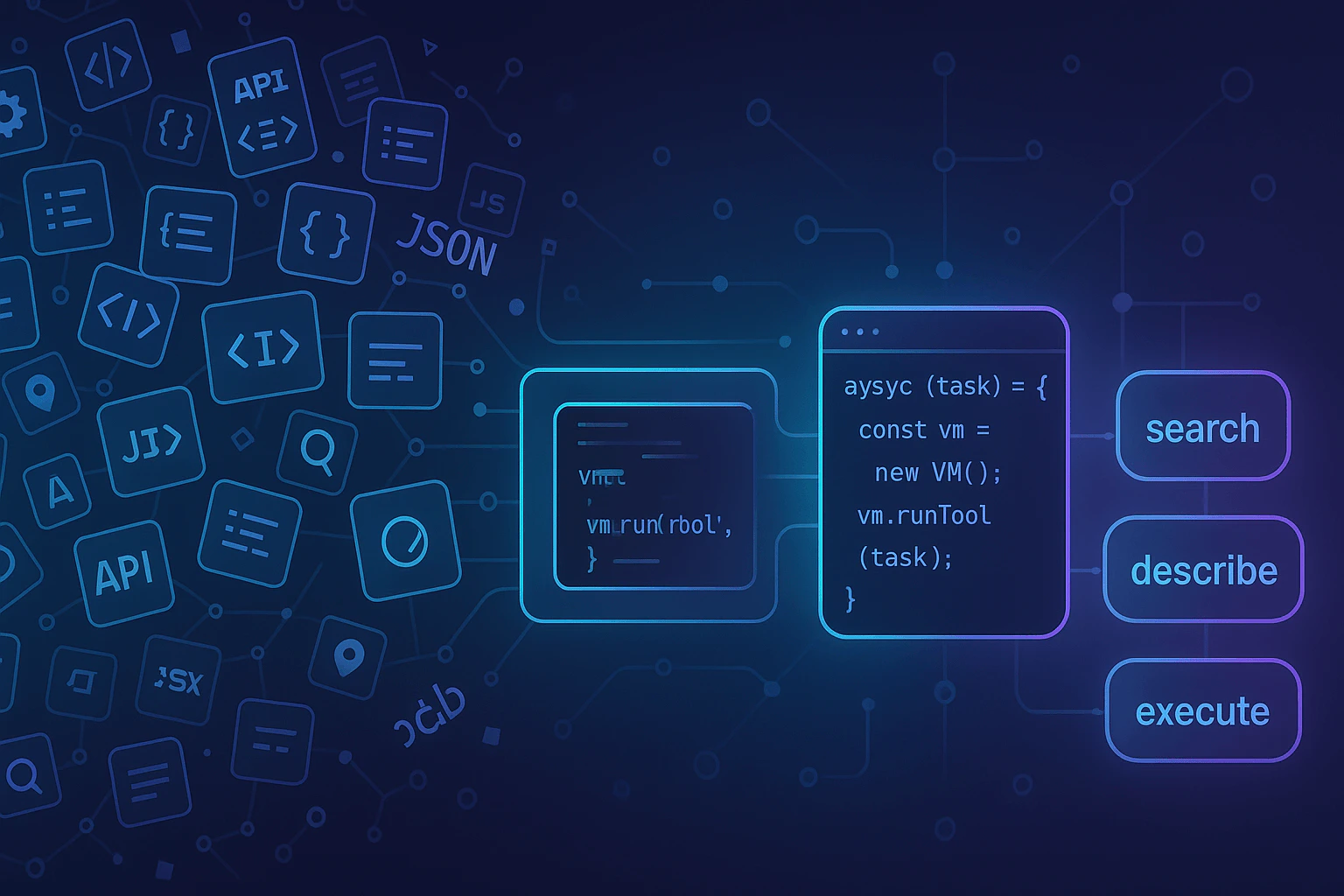
CodeCall uses a three-step flow: **search** for relevant tools, **describe** their schemas,
then **execute** a script that orchestrates them.
**1. Search for tools**
```json theme={"theme":{"light":"snazzy-light","dark":"dark-plus"}}
{
"tool": "codecall:search",
"input": {
"queries": ["user management"]
}
}
```
```json Response theme={"theme":{"light":"snazzy-light","dark":"dark-plus"}}
{
"tools": [
{ "name": "users:list", "description": "List users with optional filtering by status and role", "relevanceScore": 0.92 },
{ "name": "users:get", "description": "Get a single user by ID", "relevanceScore": 0.87 }
],
"totalAvailableTools": 2
}
```
**2. Describe the tools you need**
```json theme={"theme":{"light":"snazzy-light","dark":"dark-plus"}}
{
"tool": "codecall:describe",
"input": {
"toolNames": ["users:list", "users:get"]
}
}
```
```json Response theme={"theme":{"light":"snazzy-light","dark":"dark-plus"}}
{
"tools": [
{
"name": "users:list",
"description": "List users with optional filtering by status and role",
"inputSchema": {
"type": "object",
"properties": {
"status": { "type": "string" },
"limit": { "type": "number" }
}
}
},
{
"name": "users:get",
"description": "Get a single user by ID",
"inputSchema": {
"type": "object",
"properties": {
"id": { "type": "string" }
},
"required": ["id"]
}
}
]
}
```
**3. Execute a script**
```json theme={"theme":{"light":"snazzy-light","dark":"dark-plus"}}
{
"tool": "codecall:execute",
"input": {
"script": "const result = await callTool('users:list', {});\nreturn result;"
}
}
```
```json Response theme={"theme":{"light":"snazzy-light","dark":"dark-plus"}}
{
"status": "ok",
"result": {
"users": [
{ "id": "1", "name": "Alice", "email": "alice@example.com", "status": "active", "role": "admin" },
{ "id": "2", "name": "Bob", "email": "bob@example.com", "status": "active", "role": "user" },
{ "id": "3", "name": "Charlie", "email": "charlie@example.com", "status": "inactive", "role": "user" }
]
}
}
```
***
## What Just Happened?
Instead of exposing `users:list` and `users:get` directly in `tools/list`, CodeCall replaced them
with 4 meta-tools. When a client calls `tools/list`, it sees:
```json theme={"theme":{"light":"snazzy-light","dark":"dark-plus"}}
{
"tools": [
{ "name": "codecall:search", "description": "Search for tools by natural language query" },
{ "name": "codecall:describe", "description": "Get detailed schemas for selected tools" },
{ "name": "codecall:execute", "description": "Execute an AgentScript that orchestrates tools" },
{ "name": "codecall:invoke", "description": "Direct single-tool invocation without VM overhead" }
]
}
```
The LLM only needs to understand these 4 tools, no matter how many underlying tools your server
has. When it needs a specific capability, it searches, reads the schema on demand, and writes a
short script to get the job done.
***
## Your First Script
The real power of CodeCall is combining multiple tool calls with server-side logic in a single
round-trip. Here is a script that finds all admin users from the active user list:
```json Request theme={"theme":{"light":"snazzy-light","dark":"dark-plus"}}
{
"tool": "codecall:execute",
"input": {
"script": "const users = await callTool('users:list', { status: 'active' });\nconst admins = users.users.filter(u => u.role === 'admin');\nreturn { adminCount: admins.length, admins: admins.map(a => ({ name: a.name, email: a.email })) };"
}
}
```
```json Response theme={"theme":{"light":"snazzy-light","dark":"dark-plus"}}
{
"status": "ok",
"result": {
"adminCount": 1,
"admins": [{ "name": "Alice", "email": "alice@example.com" }]
}
}
```
Here is the same script, expanded for readability:
```js title="AgentScript" theme={"theme":{"light":"snazzy-light","dark":"dark-plus"}}
const users = await callTool('users:list', { status: 'active' });
const admins = users.users.filter(u => u.role === 'admin');
return {
adminCount: admins.length,
admins: admins.map(a => ({
name: a.name,
email: a.email,
})),
};
```
**Key takeaway:** one round-trip to the server, data filtered server-side, minimal tokens returned
to the LLM. Without CodeCall, this would require fetching all users into context, burning tokens on
the full payload, and relying on the model to filter correctly.
***
## Next Steps
Master the scripting language: APIs, patterns, and best practices
Tool visibility modes, VM presets, and embedding strategies
Real-world patterns: CRM, ETL, batch processing, and more
Explore the full multi-tool CRM reference app
This guide assumes you have a FrontMCP project set up. If you're new to FrontMCP, start with the [installation guide](/frontmcp/getting-started/installation) first.
## From Zero to CodeCall in 5 Steps
CodeCall ships as part of `@frontmcp/plugins`. Add it to your project:
```bash npm theme={"theme":{"light":"snazzy-light","dark":"dark-plus"}}
npm install @frontmcp/plugins
```
```bash pnpm theme={"theme":{"light":"snazzy-light","dark":"dark-plus"}}
pnpm add @frontmcp/plugins
```
```bash yarn theme={"theme":{"light":"snazzy-light","dark":"dark-plus"}}
yarn add @frontmcp/plugins
```
This includes `CodeCallPlugin` along with all official FrontMCP plugins.
Mark each tool with the `codecall` metadata object. Setting `enabledInCodeCall: true` makes the tool
available inside CodeCall scripts, while `visibleInListTools: false` hides it from the standard
`tools/list` response so the LLM only sees the 4 meta-tools.
```ts title="src/tools/users.ts" theme={"theme":{"light":"snazzy-light","dark":"dark-plus"}}
import { Tool, ToolContext } from '@frontmcp/sdk';
@Tool({
name: 'users:list',
description: 'List users with optional filtering by status and role',
codecall: {
enabledInCodeCall: true,
visibleInListTools: false,
},
})
export class ListUsersTool extends ToolContext {
async execute(input: { status?: string; limit?: number }) {
return {
users: [
{ id: '1', name: 'Alice', email: 'alice@example.com', status: 'active', role: 'admin' },
{ id: '2', name: 'Bob', email: 'bob@example.com', status: 'active', role: 'user' },
{ id: '3', name: 'Charlie', email: 'charlie@example.com', status: 'inactive', role: 'user' },
],
};
}
}
@Tool({
name: 'users:get',
description: 'Get a single user by ID',
codecall: {
enabledInCodeCall: true,
visibleInListTools: false,
},
})
export class GetUserTool extends ToolContext {
async execute(input: { id: string }) {
const users = {
'1': { id: '1', name: 'Alice', email: 'alice@example.com', status: 'active', role: 'admin' },
'2': { id: '2', name: 'Bob', email: 'bob@example.com', status: 'active', role: 'user' },
};
return users[input.id] ?? { error: 'User not found' };
}
}
```
The `codecall` metadata is per-tool. You can mix CodeCall-enabled tools with regular tools
that remain visible in `tools/list` as usual.
Register the plugin in your `@App` decorator. The three key options are **mode**, **vm preset**,
and **embedding strategy**:
```ts title="src/app.ts" theme={"theme":{"light":"snazzy-light","dark":"dark-plus"}}
import { App } from '@frontmcp/sdk';
import { CodeCallPlugin } from '@frontmcp/plugins';
import { ListUsersTool, GetUserTool } from './tools/users';
@App({
id: 'my-app',
name: 'My Application',
tools: [ListUsersTool, GetUserTool],
plugins: [
CodeCallPlugin.init({
mode: 'codecall_only',
vm: {
preset: 'secure',
},
embedding: {
strategy: 'tfidf',
},
}),
],
})
export default class MyApp {}
```
| Option | Value | What it does |
| -------------------- | ----------------- | -------------------------------------------------------------------------------------- |
| `mode` | `'codecall_only'` | Only the 4 meta-tools appear in `tools/list`. Recommended for large toolsets. |
| `vm.preset` | `'secure'` | Bank-grade sandbox defaults: strict AST validation, short timeouts, no network access. |
| `embedding.strategy` | `'tfidf'` | Fast local embeddings with no external API. Great for getting started. |
Launch your FrontMCP application in development mode:
```bash theme={"theme":{"light":"snazzy-light","dark":"dark-plus"}}
npx frontmcp dev
```
You should see output confirming CodeCall is active:
```
FrontMCP v1.x.x - development mode
CodeCall plugin loaded (mode: codecall_only)
Indexed 2 tools for semantic search
Server listening on stdio
```
Connect with the [MCP Inspector](https://github.com/modelcontextprotocol/inspector) to interact with
your server visually:
```bash theme={"theme":{"light":"snazzy-light","dark":"dark-plus"}}
npx @modelcontextprotocol/inspector
```
In the Inspector, point to your running server and you will see the 4 CodeCall meta-tools
instead of `users:list` and `users:get`.
CodeCall uses a three-step flow: **search** for relevant tools, **describe** their schemas,
then **execute** a script that orchestrates them.
**1. Search for tools**
```json theme={"theme":{"light":"snazzy-light","dark":"dark-plus"}}
{
"tool": "codecall:search",
"input": {
"queries": ["user management"]
}
}
```
```json Response theme={"theme":{"light":"snazzy-light","dark":"dark-plus"}}
{
"tools": [
{ "name": "users:list", "description": "List users with optional filtering by status and role", "relevanceScore": 0.92 },
{ "name": "users:get", "description": "Get a single user by ID", "relevanceScore": 0.87 }
],
"totalAvailableTools": 2
}
```
**2. Describe the tools you need**
```json theme={"theme":{"light":"snazzy-light","dark":"dark-plus"}}
{
"tool": "codecall:describe",
"input": {
"toolNames": ["users:list", "users:get"]
}
}
```
```json Response theme={"theme":{"light":"snazzy-light","dark":"dark-plus"}}
{
"tools": [
{
"name": "users:list",
"description": "List users with optional filtering by status and role",
"inputSchema": {
"type": "object",
"properties": {
"status": { "type": "string" },
"limit": { "type": "number" }
}
}
},
{
"name": "users:get",
"description": "Get a single user by ID",
"inputSchema": {
"type": "object",
"properties": {
"id": { "type": "string" }
},
"required": ["id"]
}
}
]
}
```
**3. Execute a script**
```json theme={"theme":{"light":"snazzy-light","dark":"dark-plus"}}
{
"tool": "codecall:execute",
"input": {
"script": "const result = await callTool('users:list', {});\nreturn result;"
}
}
```
```json Response theme={"theme":{"light":"snazzy-light","dark":"dark-plus"}}
{
"status": "ok",
"result": {
"users": [
{ "id": "1", "name": "Alice", "email": "alice@example.com", "status": "active", "role": "admin" },
{ "id": "2", "name": "Bob", "email": "bob@example.com", "status": "active", "role": "user" },
{ "id": "3", "name": "Charlie", "email": "charlie@example.com", "status": "inactive", "role": "user" }
]
}
}
```
***
## What Just Happened?
Instead of exposing `users:list` and `users:get` directly in `tools/list`, CodeCall replaced them
with 4 meta-tools. When a client calls `tools/list`, it sees:
```json theme={"theme":{"light":"snazzy-light","dark":"dark-plus"}}
{
"tools": [
{ "name": "codecall:search", "description": "Search for tools by natural language query" },
{ "name": "codecall:describe", "description": "Get detailed schemas for selected tools" },
{ "name": "codecall:execute", "description": "Execute an AgentScript that orchestrates tools" },
{ "name": "codecall:invoke", "description": "Direct single-tool invocation without VM overhead" }
]
}
```
The LLM only needs to understand these 4 tools, no matter how many underlying tools your server
has. When it needs a specific capability, it searches, reads the schema on demand, and writes a
short script to get the job done.
***
## Your First Script
The real power of CodeCall is combining multiple tool calls with server-side logic in a single
round-trip. Here is a script that finds all admin users from the active user list:
```json Request theme={"theme":{"light":"snazzy-light","dark":"dark-plus"}}
{
"tool": "codecall:execute",
"input": {
"script": "const users = await callTool('users:list', { status: 'active' });\nconst admins = users.users.filter(u => u.role === 'admin');\nreturn { adminCount: admins.length, admins: admins.map(a => ({ name: a.name, email: a.email })) };"
}
}
```
```json Response theme={"theme":{"light":"snazzy-light","dark":"dark-plus"}}
{
"status": "ok",
"result": {
"adminCount": 1,
"admins": [{ "name": "Alice", "email": "alice@example.com" }]
}
}
```
Here is the same script, expanded for readability:
```js title="AgentScript" theme={"theme":{"light":"snazzy-light","dark":"dark-plus"}}
const users = await callTool('users:list', { status: 'active' });
const admins = users.users.filter(u => u.role === 'admin');
return {
adminCount: admins.length,
admins: admins.map(a => ({
name: a.name,
email: a.email,
})),
};
```
**Key takeaway:** one round-trip to the server, data filtered server-side, minimal tokens returned
to the LLM. Without CodeCall, this would require fetching all users into context, burning tokens on
the full payload, and relying on the model to filter correctly.
***
## Next Steps
Master the scripting language: APIs, patterns, and best practices
Tool visibility modes, VM presets, and embedding strategies
Real-world patterns: CRM, ETL, batch processing, and more
Explore the full multi-tool CRM reference app