
Estimated reading time: 15 minutes
- Custom message passing between agents
- State synchronization nightmares
- LLM provider lock-in (your agents only work with OpenAI)
- Duplicate tool definitions across agents
- No visibility into what’s happening inside the swarm
The Multi-Agent Problem
Let’s break down what makes multi-agent systems so painful to build:
Most teams give up on multi-agent and fall back to single monolithic agents. Which works—until it doesn’t.
What is “Agent as Tool”?
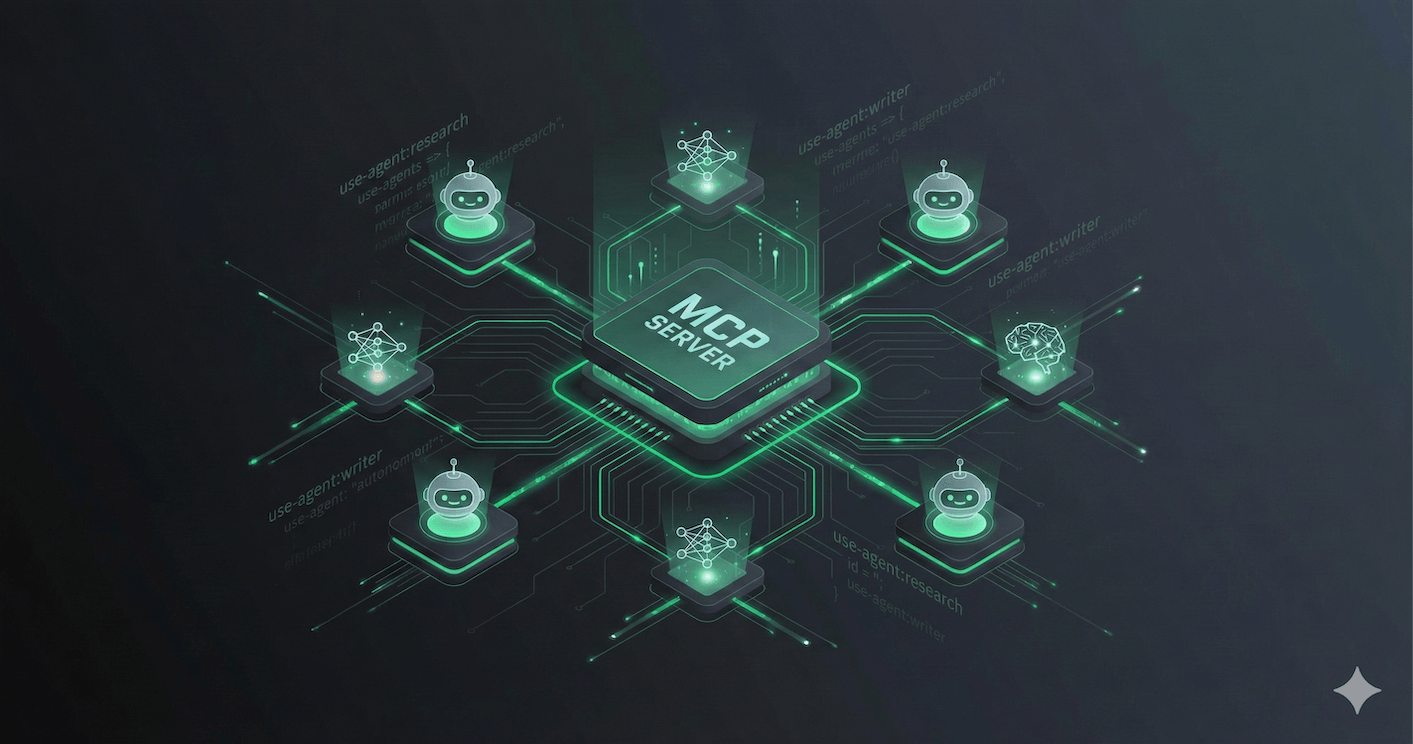
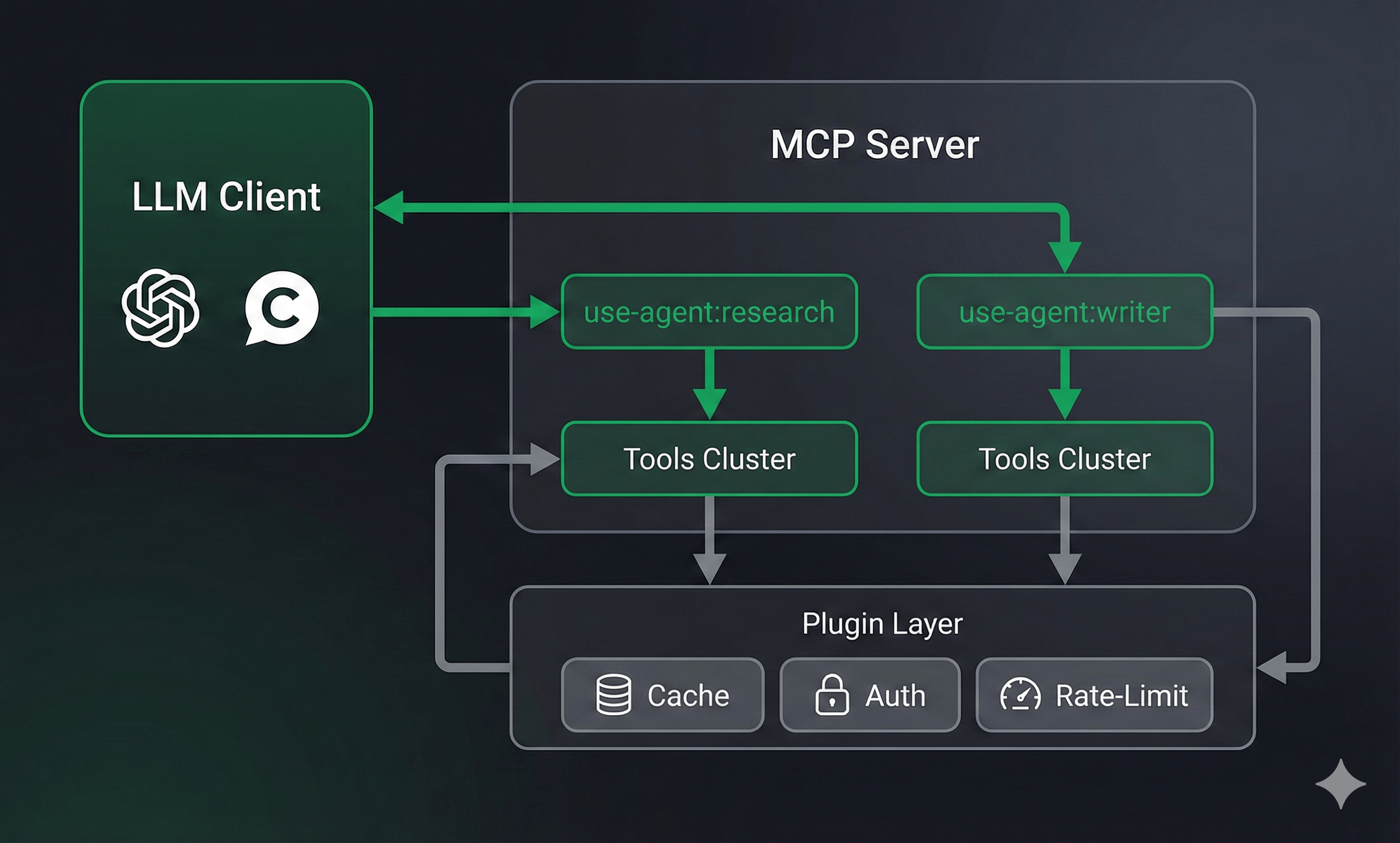
FrontMCP flips the model: every agent automatically becomes an MCP tool. When you define an agent:use-agent:research-agent in your tool registry. Any other agent—or any MCP client—can call it like a regular tool.
Any LLM Provider
OpenAI, Anthropic, Google, Mistral, Groq—or bring your own adapter. Switch providers without rewriting agents.
Standard Tool Flow
Agents go through the same
tools:call-tool flow as regular tools. All your plugins (cache, rate-limit, auth) work automatically.Private Scoping
Each agent gets its own isolated scope. Its tools, resources, and prompts are private—not exposed to the parent app.
Swarm-Ready
Built-in visibility controls let you define which agents can see and invoke other agents. Orchestrator patterns work out of the box.
Three Ways to Create Agents
FrontMCP offers three patterns depending on your needs:1. Class-Based (Default)—No Execute Method Needed
The simplest approach: define your agent metadata and let FrontMCP handle the LLM loop.execute() method needed. FrontMCP runs the LLM loop automatically:
- Sends system instructions + user input to the LLM
- If the LLM requests tool calls, executes them
- Feeds results back to the LLM
- Repeats until the LLM responds with final output
- Validates output against
outputSchema
2. Class-Based with Custom Execute
Need custom logic? Override theexecute() method:
3. Function Builder Pattern
For simpler agents or when you prefer functional style:Registering Agents in Your App
Agents are registered just like tools:use-agent:research-agentuse-agent:writer-agentuse-agent:analyst-agentdata-fetchchart
Agent Configuration Deep Dive
LLM Configuration
FrontMCP supports multiple LLM providers out of the box:- OpenAI
- Anthropic
- Google
- Custom Adapter
Agent-Scoped Components
Each agent can have its own private tools, resources, prompts, and even nested agents:Execution Configuration
Fine-tune how agents run:Plugin Metadata
Agents support the same plugin metadata as tools:Multi-Agent Swarm Patterns
The Orchestrator Pattern
One agent coordinates multiple worker agents:ContentOrchestrator runs, it can invoke use-agent:research-worker and use-agent:writer-worker as tools. The workers only see their own private tools.
Nested Agents
For tighter coupling, embed agents directly:Swarm Configuration Reference
Swarm Configuration Reference
Real-World Example: Weather Summary Agent
Here’s the complete weather agent from the FrontMCP demo:When to Use Agents vs Tools
Use Agents When
- Task requires multi-step reasoning
- You need LLM decision-making between steps
- Orchestrating multiple tools with context
- Building autonomous workflows
- Need different LLM providers for different tasks
Use Tools When
- Task is deterministic (no LLM needed)
- Single API call or data fetch
- Performance-critical operations
- Simple CRUD operations
- No decision-making required
Performance Considerations
Agents add overhead compared to raw tools:Get Started
Agents Documentation
Complete API reference for agent configuration, swarm patterns, and LLM adapters
Weather Demo App
Working example with agent, tools, and UI rendering
5-Minute Quickstart
Get your first FrontMCP server running with agents
Multi-Agent Patterns
Deep dive into orchestrator patterns and visibility controls
Agents are just one piece of FrontMCP’s production-ready MCP framework. Combine them with CodeCall for code execution, Tool UI for rich widgets, and deploy to Vercel or any Node.js environment. Star us on GitHub to follow development.