
⏱️ Estimated reading time: 12 minutes
- Your context window fills with schemas before the first query
- Token costs explode—you’re paying to list tools the agent won’t use
- The model picks the wrong tool or misses the right one entirely
- Multi-step workflows require endless round-trips through the LLM
The Real Cost of Tool Explosion
Let’s do the math on a real scenario. You have 100 tools. Each tool definition averages 200 tokens (name, description, input schema). That’s 20,000 tokens just to list your tools—before the agent does anything. Now the agent needs to:- Find users whose first name starts with “me”
- Who logged in within the past 10 days
- Return the top 10
At $0.015 per 1K input tokens (GPT-4 pricing), that’s $1.20 for one query.
But worse than cost: the model starts losing context. It drops earlier instructions. It forgets what it was doing. It hallucinates.
Sound familiar?
”Just Build Better REST Endpoints”
The obvious solution: add filtering parameters to your API.- Query parameter validation
- Database query building
- Pagination handling
- Error handling for invalid filters
- Documentation updates
- Tests for every combination
The Code Execution Pattern
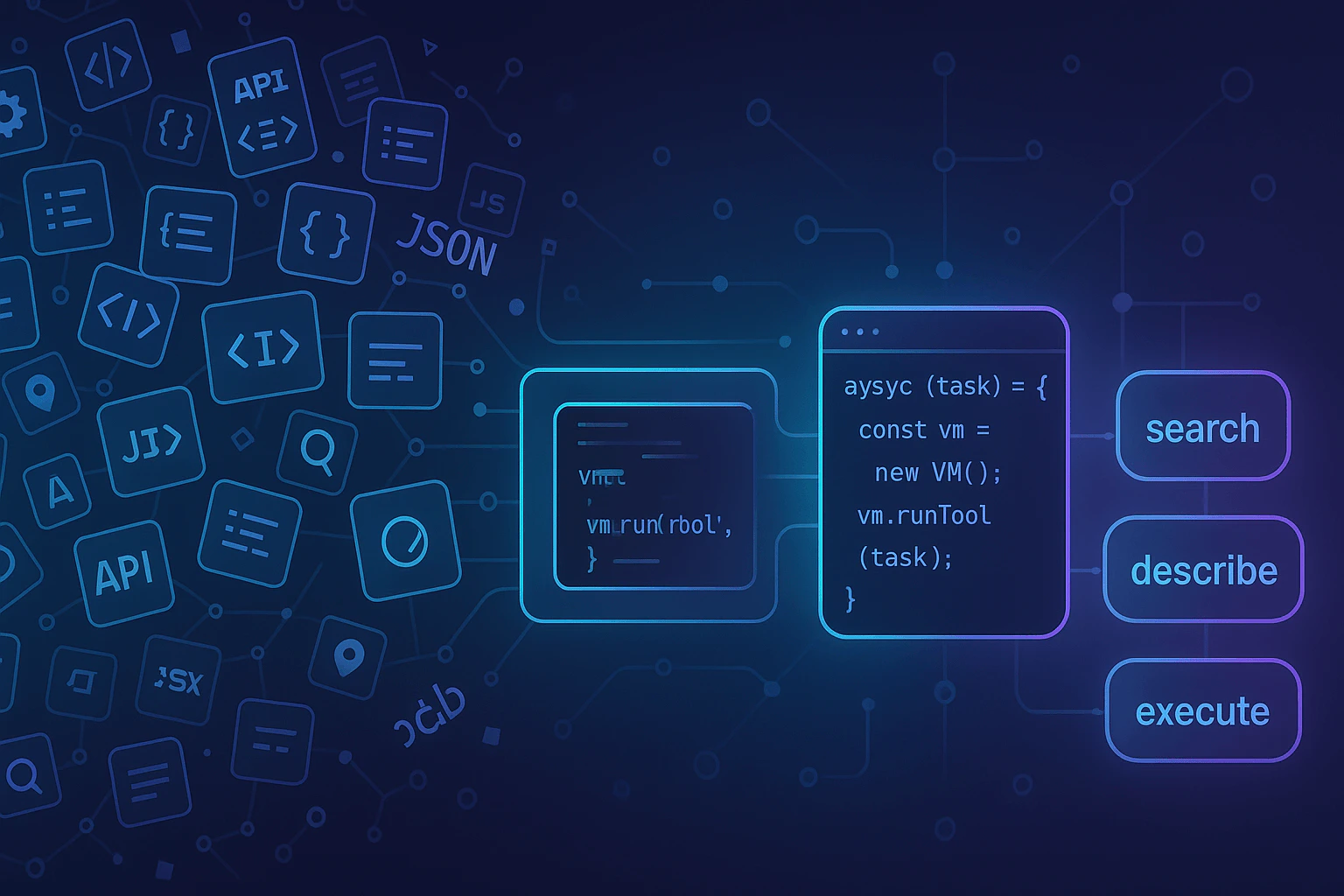
Anthropic’s insight was simple: let the model write code. Instead of exposing 100 tools, expose a meta-API:- Search for relevant tools
- Describe their schemas
- Execute JavaScript that orchestrates them
That’s 95% fewer tokens. For the same result.
Anthropic Gets It—Their Advanced Tool Use Proves the Pattern
Anthropic recently published “Advanced Tool Use” introducing three beta features that validate exactly what CodeCall does:
Their results? 85% reduction in token usage with Tool Search. 37% fewer tokens with Programmatic Tool Calling. Accuracy improvements from 72% to 90%.
CodeCall delivers the same patterns—but there’s a catch with Anthropic’s approach:
Claude Only
Tied to Anthropic’s infrastructure. Using GPT-4, Llama, or Gemini? You can’t use it.
Not Self-Hosted
Your code runs on their servers. Your data leaves your VPC.
Closed Source
You can’t audit the sandbox, customize security rules, or extend it.
Beta Only
These features are in beta—availability and pricing may change.
- Self-hosted infrastructure
- Any LLM compatibility
- Auditable security
- Full control
CodeCall: Self-Hosted Code Execution for Any LLM
CodeCall is a FrontMCP plugin that brings code execution to your MCP server:Any LLM
Works with Claude, GPT-4, Gemini, Llama, or any MCP-compatible client
Self-Hosted
Runs entirely on your infrastructure. Data never leaves your VPC.
Open Source
Audit the code. Customize the security. Extend the functionality.
Available Now
npm install @frontmcp/plugins. Deploy today.
How CodeCall Works
CodeCall collapses your entire toolset into 4 meta-tools: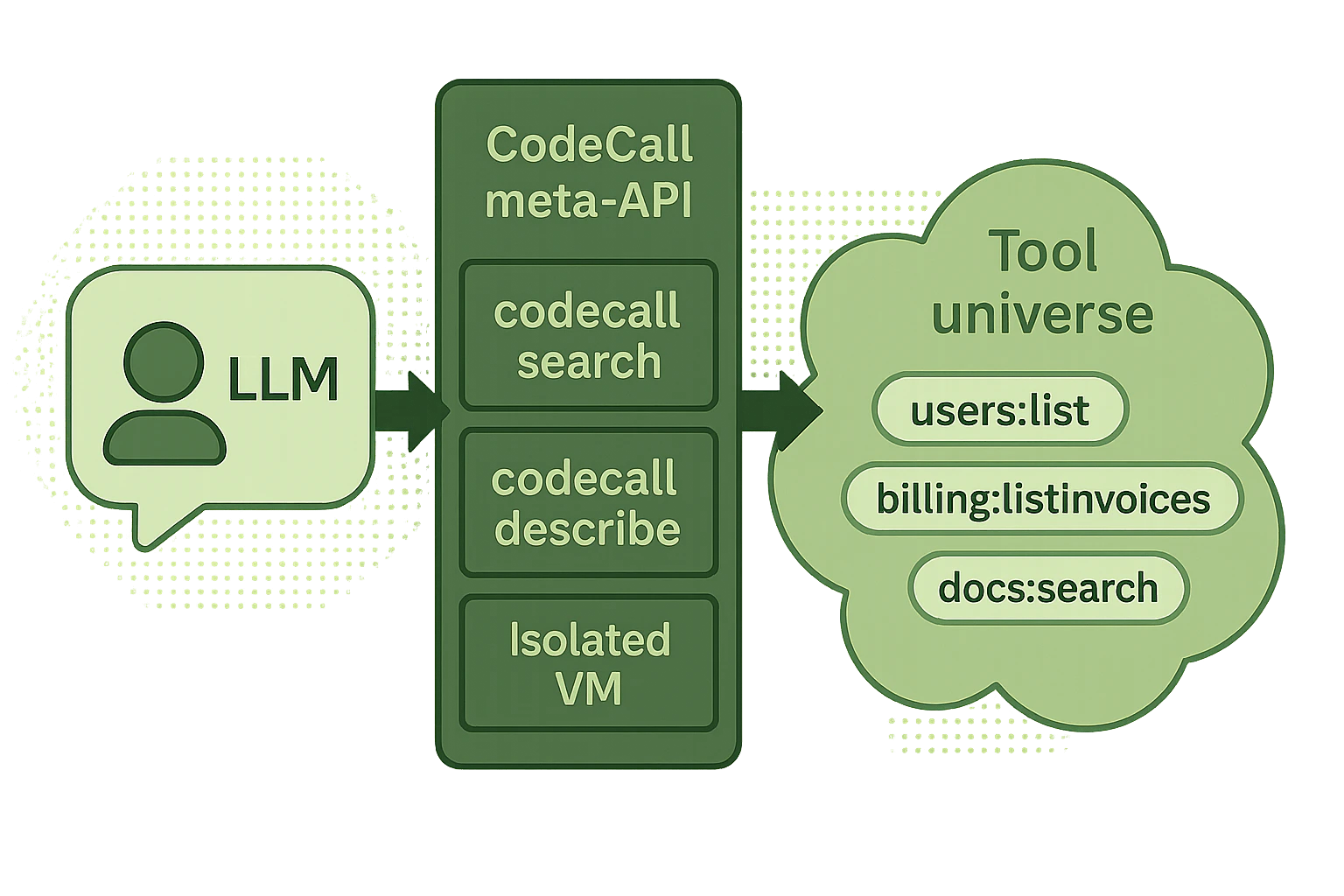
Bank-Grade Security (Not an Afterthought)
“But running LLM-generated code sounds terrifying.” It should. That’s why CodeCall implements defense-in-depth with battle-tested security libraries:Layer 0: Pre-Scanner
Before the JavaScript parser even runs, AST Guard’s Pre-Scanner catches attacks that could DoS the parser itself:Blocked: ReDoS Attacks
Blocked: ReDoS Attacks
/(a+)+$/- Nested quantifiers ❌/(a|a)+$/- Overlapping alternation ❌- Catastrophic backtracking patterns ❌
Blocked: Trojan Source (CVE-2021-42574)
Blocked: Trojan Source (CVE-2021-42574)
- Unicode BiDi override characters ❌
- Right-to-Left text direction attacks ❌
- Code that appears different than it executes ❌
Blocked: Parser DoS
Blocked: Parser DoS
- Deep nesting attacks
((((((x))))))❌ - 100MB+ input payloads ❌
- Null byte injection ❌
Layer 1: AST Guard (Static Analysis)
After pre-scanning, AST Guard parses the JavaScript into an Abstract Syntax Tree and validates every node:Blocked: Code Injection
Blocked: Code Injection
eval('malicious code')❌new Function('return process')()❌setTimeout,setInterval❌
Blocked: System Access
Blocked: System Access
process.env.SECRET❌require('fs')❌global,globalThis❌
Blocked: Prototype Pollution
Blocked: Prototype Pollution
obj.__proto__ = {}❌Object.prototype.hack = true❌
Blocked: Resource Exhaustion
Blocked: Resource Exhaustion
while (true) {}❌- Recursive functions ❌
- Unbounded loops ❌
Layer 2: Code Transformation
Code is rewritten for safe execution:- Wraps in
async function __ag_main()for top-level await - Transforms
callTool→__safe_callToolfor tracking - Adds iteration limits to all loops
- Whitelists only safe globals
Layer 3: AI Scoring Gate (NEW)
The AI Scoring Gate detects semantic attack patterns that syntactic validation can’t catch:Data Exfiltration Detection
Data Exfiltration Detection
Detects fetch→send patterns: scripts that list sensitive data then send it externally
Bulk Harvesting Prevention
Bulk Harvesting Prevention
Flags excessive limits and bulk operation patterns
limit: 100000→ +25 risk scorebulkDelete,batchProcess→ +20 risk score
Fan-Out Attack Detection
Fan-Out Attack Detection
Detects tool calls inside loops that could multiply requests
Layer 4: Runtime Sandbox
Enclave executes validated code in an isolated Node.jsvm context:
- Fresh context per execution (no state leakage)
- Whitelist-only globals (Math, JSON, Array—nothing dangerous)
- Configurable timeouts (default 3.5s)
- Iteration limits (default 5,000)
- Tool call caps (default 100)
- I/O flood protection (console rate limiting)
Layer 5: Self-Reference Guard
Scripts cannot call CodeCall tools from within scripts. This prevents:- Recursive execution attacks
- Sandbox escape via nested calls
- Resource multiplication
Layer 6: Output Sanitization
All results are cleaned before returning:- Stack traces removed
- File paths scrubbed
- Circular references handled
- Oversized outputs truncated
Semantic Search with Local Embeddings
When you have 150 tools, keyword search isn’t enough. “Get user billing” should findinvoices:listForUser even though the words don’t match.
CodeCall uses VectoriaDB for semantic tool search:
Local Embeddings
No external API calls. No data leaves your server.
Fast
Sub-millisecond queries. Works offline.
TF-IDF Fallback
For simpler deployments, use TF-IDF with zero model loading.
HNSW for Scale
Enable HNSW indexing for 1000+ tools.
5 Minutes to Production
The Plugin Ecosystem Advantage
CodeCall is just one plugin. FrontMCP’s plugin system lets you stack capabilities:Real-World Impact
88% Token Reduction
100 tools: 25K tokens → 3K tokens in context
90% Workflow Savings
Multi-tool workflows: 50K tokens → 5K tokens
~15ms Overhead
AST validation + sandbox execution
- Endless REST endpoint development
- Context window overflow
- Model confusion with large tool lists
- High token costs for simple operations
- Let the model write the query logic
- Minimal context usage
- Clean 4-tool interface
- Pay only for results, not intermediate data
When to Use CodeCall
Use CodeCall When
- You have 20+ tools (or anticipate growth)
- OpenAPI adapters generate dozens of endpoints
- Workflows require multi-tool orchestration
- You need in-tool filtering without building REST queries
- You want any-LLM compatibility
- Security and compliance require audit trails
Skip CodeCall When
- You have < 10 simple tools
- Workflows are single-tool operations
- You’re building a quick prototype
- Tools already have comprehensive filtering APIs
The Future of MCP Is Code-First
Anthropic was right: the future isn’t bigger context windows or smarter models picking from longer tool lists. It’s models that write code to orchestrate tools. But that future shouldn’t be locked to one provider, one model, one cloud. CodeCall makes code execution for MCP:- Open source and auditable
- Self-hosted in your VPC
- Compatible with any LLM
- Production-ready today
Get Started
Read the Documentation
Complete guide to CodeCall configuration, security model, and API reference
5-Minute Quickstart
Add CodeCall to an existing FrontMCP app in minutes
Security Deep Dive
Understand the 4-layer defense-in-depth security model
GitHub Repository
Star the repo, open issues, contribute
CodeCall is part of FrontMCP, the open-source framework for building production MCP servers. Star us on GitHub to follow development.